GoOutdoorsVA
- 4.2
- Rating
- 100.00K
- Installs
- Free
- Price
 Analysis by App-foxy
When I use a state wildlife app, I want it to reduce preparation rather than create another task before heading outdoors. GoOutdoorsVA is built for that practical purpose: it is the official app from the Virginia Department of Wildlife Resources, developed by Go Outdoors Virginia, and it belongs firmly in the sports and outdoor-activity category. It is free, rated for Everyone, and its focus is Virginia rather than general-purpose recreation.
That focus is the first thing to understand. This is not an all-purpose hiking planner, a social fitness network, or a replacement for every navigation tool on a phone. Its value comes from putting Virginia-specific wildlife and outdoor information in a place that is easier to reach while planning or traveling. I found that the app makes the most sense for residents, visitors who regularly fish or hunt in Virginia, and families who want an official starting point before spending time outdoors.
The app has been available since February 3, 2012, and the current version is 2026.249.0. That long presence matters to me because official outdoor services benefit from continuity. At the same time, an established app is not automatically perfect: practical usefulness depends on how clearly it presents information, how quickly it responds on a particular device, and whether it fits the exact outdoor activity I have in mind.
You May Also Like

 Blood Strike: 2.5 Anniversary
Blood Strike’s Loadouts Turn Every Drop Into a Tactical Gamble
A close look at Blood Strike’s custom loadouts: how fast access to signature weapons reshapes its battle royale rhythm, rewards preparation, and narrows the gap between fights.

 Pandora - Music & Podcasts
Pandora’s Music Is Easy to Start, but Harder to Recover
Pandora’s strength is its low-effort path from a seed to a station. Its weak spot is how much confidence it asks you to place in connection, setup, and quiet recovery.

 8 Ball Pool
 Is Built on Rivalries, Rematches, and Routine
A close look at the rivalries, rematches, shared routines, and unanswered safety questions that turn a quick pool match into a persistent mobile community.

 Samsung Music
’s Quiet Strength Is Playing What You Already Own
Its reach comes less from spectacle than from dependable access to a personal library. That simplicity is both the app’s strongest retention engine and its ceiling.

 AccuWeather: Weather Radar
AccuWeather Review: A Quick, Clear Forecast for Everyday Decisions
For everyday plans, the best forecast is the one you can understand quickly. AccuWeather makes rain timing, radar, and local conditions easy to act on, with a few trade-offs.

 Hill Climb Racing
Why Hill Climb Racing Still Turns Crashes Into One More Run
A tiny car, a bumpy hill and one more upgrade: Hill Climb Racing keeps resurfacing because its simple chaos makes every near-miss feel personal.
More From Our News Desk
View All News


How GoOutdoorsVA feels during ordinary preparation
I use GoOutdoorsVA as a planning aid, not something I need to keep open throughout an outing. In this section, I focus on the small preparation choices that make an official Virginia resource easier to rely on: checking details before departure, keeping essential notes handy, and knowing when another tool is better suited to the job.
Quick access is more important than visual spectacle
My first impression of GoOutdoorsVA is that it is best judged as a utility, not as an entertainment app. I do not open it expecting a polished feed or a stream of personalized recommendations. I open it when I need to prepare for an outing, check an official resource, or move from general planning toward the practical details of being outdoors in Virginia.
That approach affects perceived speed. A focused utility can feel fast even when it is not doing anything flashy, because the user usually has a clear task. If I am deciding whether to go out this weekend, I want to reach the relevant information without wandering through unrelated content. The less time an app makes me spend interpreting its purpose, the more useful it feels.
For a first-time user, I recommend opening it at home before leaving. This gives me time to understand its organization, sign in or complete any necessary setup at a comfortable pace, and identify the pages I am likely to need. Outdoor conditions are rarely the right moment to learn an unfamiliar interface, especially when I am standing in a parking area, dealing with poor reception, or trying to keep a group moving.
A realistic weekend workflow
Imagine that I am planning a Saturday fishing trip with a friend. On Friday evening, I use the app as part of my preparation rather than waiting until I am beside the water. I review the relevant Virginia information, make a note of anything that affects our plans, and keep the app available for a final check before leaving. I also save the important details in my own notes when appropriate, because an app should support a trip plan rather than become the only place where that plan exists.
This workflow reveals one of the app’s practical strengths: it can act as an official reference point during the transition from “we should go outdoors” to “we know what we need to do.” That is more useful than simply searching the web for scattered pages. The trade-off is that the app is not necessarily the best tool for every part of the journey. I would still use a dedicated navigation app for route guidance, a weather service for changing conditions, and a phone camera or notes app for personal records.
That division of labor is important. GoOutdoorsVA can be the Virginia-specific information layer, while other apps handle tasks they are designed to do better. Trying to make one app cover navigation, weather, mapping, communication, and official outdoor information usually creates more friction, not less.
What the audience numbers suggest
The app has passed one hundred thousand installs and holds an average rating of 4.2 from around one and a half thousand ratings, with roughly five hundred thirty written reviews. Those figures suggest a real audience and a generally positive reception, but I would not treat them as a guarantee that every screen will feel equally polished on every phone.
For me, the more meaningful point is that the app has enough adoption to be familiar to many people using Virginia’s official outdoor resources. A person who wants a narrowly relevant state resource is likely to get more from this than from a generic sports app that knows little about Virginia-specific needs. Conversely, someone who only wants exercise tracking or broad trail discovery may find the app too specialized.
When heavier use changes the experience
Light use is straightforward: open the app, find the relevant area, read what matters, and close it. Heavier use is different. A longer planning session may involve moving among several information areas, checking details more than once, and switching between the app and other tools. That is where organization and recovery matter more than raw launch speed.
I prefer to do the first serious planning session on a stable connection and with the phone charged. This is not because the app should be treated as unusually demanding, but because outdoor preparation has consequences. If I am arranging transport for other people or preparing equipment, I do not want to discover at the last minute that I misunderstood a requirement or cannot load the page I need.
A useful habit is to separate research from departure. I use the app for the research phase, write down the decisions that affect the outing, and then perform a short final check before leaving. This reduces repeated browsing in the field and makes the app less exposed to interruptions caused by weak service, a busy day, or a low battery.
Stability and recovery in real use
For an outdoor utility, reliability is not only the absence of crashes. It also includes whether I can return to the task after a phone call, screen lock, connection change, or accidental exit. When I use an app in the field, interruptions are normal. I may need to put the phone away, answer someone, take a photograph, or move from Wi-Fi to mobile service.
My advice is to treat GoOutdoorsVA as a helpful official companion, not as the sole record of an important plan. Before leaving, I keep essential information accessible in a second form when it is practical. That might mean writing down a location, noting a key instruction, or taking a screenshot for personal reference. This is a sensible safeguard for any outdoor app, especially when conditions can change quickly.
The recovery question is particularly relevant for people who use older or tightly managed phones. If the app is closed by the operating system while I am multitasking, I expect to reopen it and retrace my steps rather than assume that every screen will remain exactly where I left it. Building a simple backup habit makes that possibility much less frustrating.
Resource demands and phone limitations
GoOutdoorsVA is not the kind of app I would choose for demanding graphics or continuous entertainment, so I would not expect it to put the same pressure on a device as a modern 3D game. Still, perceived performance depends on more than the app itself. Available storage, background activity, operating-system behavior, network quality, and the age of the phone can all affect how quickly a practical app opens and refreshes.
The minimum operating-system requirement is version 9. That gives the app a broad compatibility range, which is helpful for people who keep a dependable older phone for outdoor trips. It also means that users should check their device before planning around the app. A phone that is technically compatible may still feel slow if it has very little free storage, an aging battery, or many background processes competing for attention.
I would be cautious about using a nearly full phone for an important outing. Even if the app itself is modest, a crowded device can make every task feel slower, from launching the app to switching back after checking a map. Clearing unused files, closing unnecessary apps, and charging the phone before departure are simple steps that improve the overall experience without pretending that they change the app’s underlying design.
Where it beats general alternatives
The clearest advantage over a generic sports application is relevance. A broad fitness app may be excellent for recording runs, walks, or workouts, but it is not necessarily organized around Virginia’s wildlife and outdoor administration. A general search engine can find official pages, yet searching repeatedly can produce a less consistent workflow and make it harder to remember which source is authoritative.
GoOutdoorsVA is therefore strongest when I need Virginia-specific information connected to outdoor recreation. It gives me a more direct starting point than a general-purpose app, and its official origin gives the product a clear role. That does not make it a universal replacement. For turn-by-turn directions, route discovery, exercise metrics, social sharing, or detailed weather radar, I would choose a specialized alternative.
This comparison also explains why some users may rate the app more highly than others. A Virginia angler, hunter, or outdoor participant who wants official state resources may see a great deal of value in a focused tool. Someone downloading it only because they want a workout tracker may conclude that it lacks the features they expected. The app should be judged against its real job, not against unrelated categories.
Who should use it and who should skip it
I recommend it to Virginia residents who spend time outdoors and want an official mobile resource close at hand. It is also worth considering for visitors who are unfamiliar with Virginia’s outdoor systems and prefer to begin with the state’s own application rather than a collection of third-party pages.
I would be more selective if my main goal were personal fitness tracking, route recording, social challenges, or offline navigation. In those cases, a dedicated app may offer a deeper toolset. GoOutdoorsVA can still complement those services, but it should not be expected to replace them.
Families may appreciate the Everyone content rating, particularly when an adult is using the app to prepare a shared outing. Even then, I would involve the group in checking the practical details rather than assuming that installing the app alone completes the preparation. The strongest use is deliberate: identify the activity, find the relevant official information, and turn it into a sensible plan.
My performance verdict
After looking at the app through the lens of speed, stability, resource use, and recovery, I see GoOutdoorsVA as a focused tool whose performance value comes from reducing unnecessary searching. It is not designed to be the most feature-packed outdoor platform on a phone, and that is both its advantage and its boundary.
It feels most useful when I open it with a clear Virginia-related task, use it early enough to read carefully, and keep a simple backup for important details. Its long availability, current version 2026.249.0, free price, and established user base make it an easy app to try for the right audience. The official connection to the Virginia Department of Wildlife Resources is the reason I would choose it over a generic sports app when the question is specifically about Virginia’s outdoor resources.
My final recommendation is practical rather than universal: install it if Virginia outdoor activities are part of your routine or upcoming plans, then pair it with the specialized tools your trip actually needs. I would not download it expecting a complete navigation or fitness suite. Used in its proper role, GoOutdoorsVA is a useful official reference that can make preparation calmer and more organized, especially when I check it before leaving instead of relying on it at the last possible moment.
FAQs for GoOutdoorsVA
01What is GoOutdoorsVA and what does it offer?
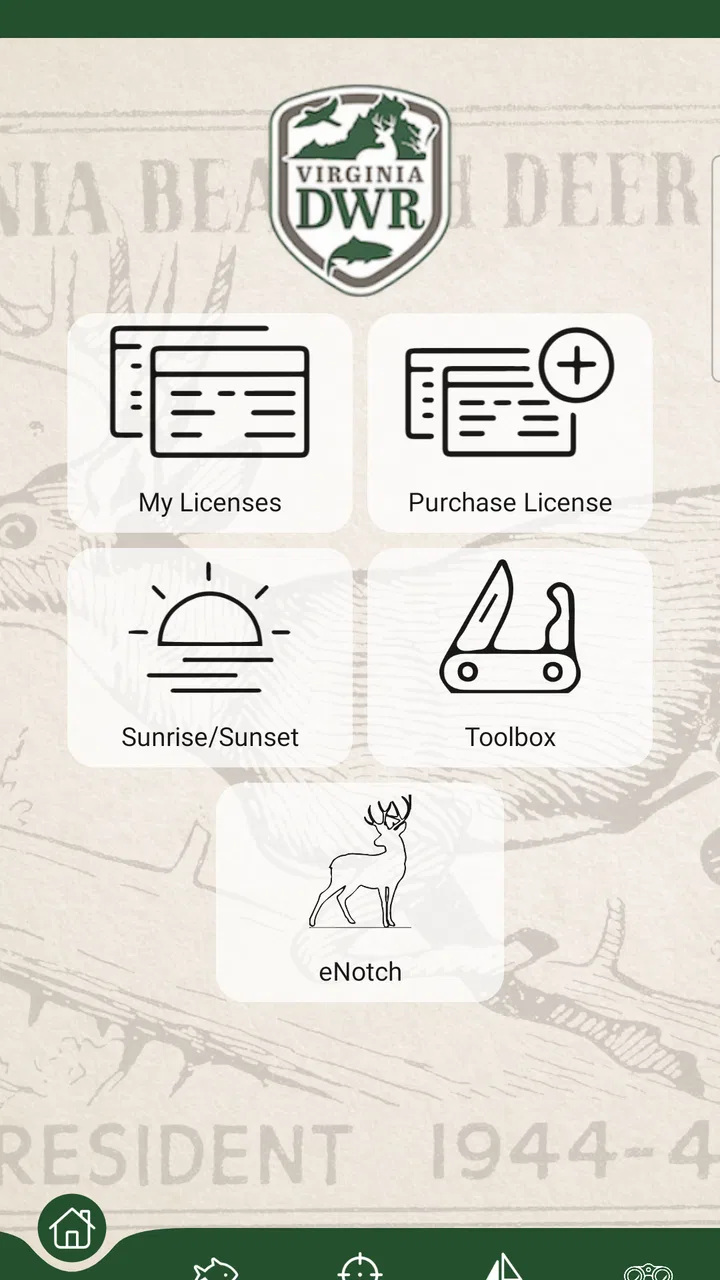
GoOutdoorsVA is a comprehensive app designed for outdoor enthusiasts in Virginia. It provides users with convenient access to hunting and fishing licenses, regulations, and real-time updates on wildlife activities. The app also features GPS mapping and allows users to check game harvests easily, making it a must-have for anyone exploring Virginia's great outdoors.
02Is GoOutdoorsVA available for both Android and iOS devices?
Yes, GoOutdoorsVA is available for download on both Android and iOS platforms. You can find it on the Google Play Store for Android devices and the Apple App Store for iOS devices. The app is designed to be user-friendly on both platforms, ensuring a seamless experience for all users.
03How much does it cost to use GoOutdoorsVA?
GoOutdoorsVA is free to download and use. However, users will need to purchase any hunting or fishing licenses through the app, which may incur additional costs based on the type of license and duration. The app itself does not charge for its basic features and updates.
04Does GoOutdoorsVA require an internet connection to work?
While GoOutdoorsVA offers some offline features, such as GPS mapping, an internet connection is necessary for tasks like purchasing licenses, accessing real-time updates, and syncing data. It's recommended to have a stable connection to utilize the full range of features the app offers.
05How can I ensure my personal information is secure on GoOutdoorsVA?
GoOutdoorsVA prioritizes user privacy and security. The app uses encryption to protect personal and payment information. Users are encouraged to create strong passwords and regularly update them. Additionally, reviewing the app's privacy policy can provide further insights into how your data is handled and protected.
Pros
- User-friendly interface
- easy navigation.
- Provides real-time weather updates.
- Comprehensive trail maps included.
- Offline access for remote areas.
- Detailed info on local wildlife.
Cons
- Limited to Virginia
- not nationwide.
- Requires registration for full features.
- Occasional GPS inaccuracies reported.
- Resource-heavy
- drains battery quickly.
- Ads can be intrusive at times.

GoOutdoorsVA
Gallery